
Embarking on a design journey and choosing Inkscape for SVG creation? You’re on the right path, buddy! But hey, if you’re feeling a little overwhelmed or lost, don’t sweat it. We’ve got you covered. Take a sip of that coffee and let’s dive in.
Getting Started with Inkscape
Before jumping into the fun part, ensure you have the latest version of Inkscape installed. It’s open-source, free, and quite the powerhouse! Now that you’re all set, launch the software and let the magic begin.
Upon launching, you’ll find a clean canvas waiting for your touch. It’s like a blank piece of paper in a world full of crayons. Feel like a kid again? We thought so.
Creating Basic Shapes
Every design journey begins with simple shapes. Circle, square, triangle; they’re the building blocks of SVG creation. In Inkscape, you’ll find a toolbar on the left with all these shapes. Simply select one, click on the canvas, and draw away!
Pro Tip: Hold Shift while drawing to maintain proportions. You’ll thank us later!
Editing and Modifying Shapes
Okay, so you’ve drawn a shape. But what if it’s too big, small, or just… odd? Fret not. Click on the shape to reveal handles that allow you to resize, rotate, and transform. Your design, your rules!
Note: If you want to modify node points, use the ‘Edit paths by node’ tool. It’s the one that looks like a pointer with dots. Yep, that’s the one!
Adding Colors and Gradients
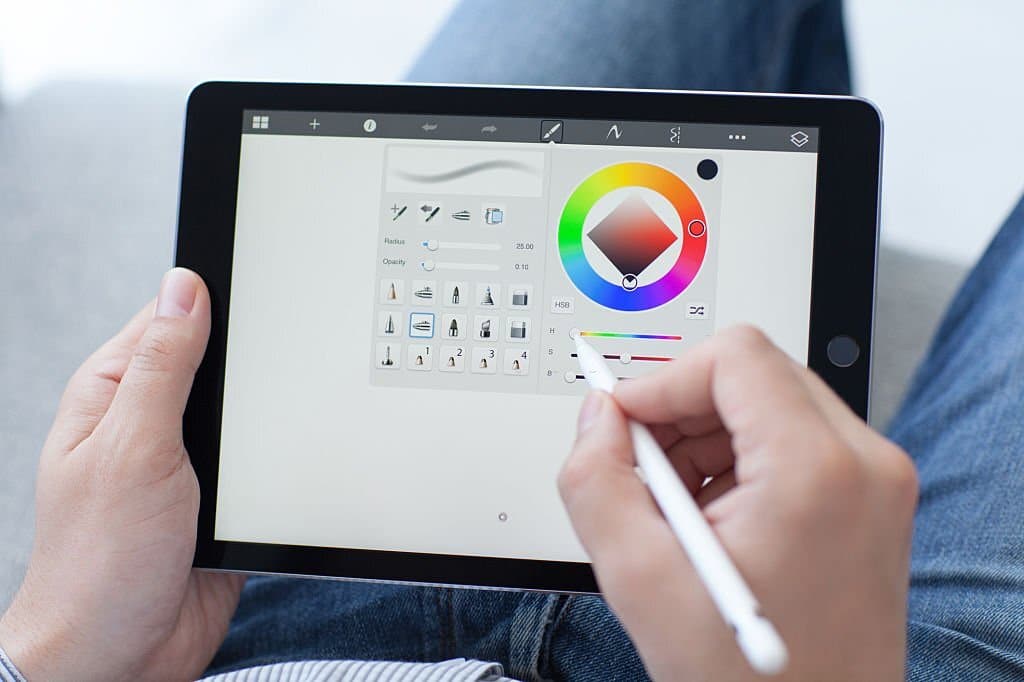
Monochromatic designs can be cool, but sometimes you just need a splash of color. To change the fill color, select your shape and use the color palette at the bottom. For gradients, open the ‘Fill and Stroke’ panel. Trust us; it’s a game-changer.
And if you’re looking to spice things up, play around with linear and radial gradients. It’s like adding a little seasoning to your favorite dish.
| Feature | Shortcut |
|---|---|
| Fill color | F7 key |
| Gradient tool | G key |
Saving Your SVG
After pouring your creative energy into your masterpiece, it’s time to save it. Go to File > Save As and choose SVG as the format. It’s that simple!
Tip: Always keep a backup in Inkscape’s native format (.svg) before exporting. Better safe than sorry, right?
Moving on from the basics, let’s dive into some more advanced tips and tricks that will surely elevate your SVG creation game with Inkscape. Remember, no pressure; everyone’s journey is unique. Enjoy the process!
Using Layers for Better Organization
Think of layers as shelves in a bookcase. Each layer can contain different design elements, making your workflow smoother. To start using layers, open the Layers panel (usually on the right side or under the Layer menu). Now, you can easily manage, hide, or lock specific layers. This is especially handy for complex designs.
Note: Using descriptive names for your layers can save you a lot of hassle in the future. ‘Circle Layer’ is much clearer than ‘Layer 1’, don’t you think?
Playing with Paths and Boolean Operations
Paths are the heart and soul of SVGs. With Inkscape’s ‘Path’ menu, you can combine shapes, cut them, intersect, and even create dynamic offsets. It’s a whole playground out there!
For instance, ever wondered how to cut a moon shape out of a circle? Just overlap a smaller circle on a larger one and use the ‘Difference’ operation from the ‘Path’ menu. Voilà! Instant moon magic.
Importing and Editing External SVGs
There will be times when you’ll need to import external SVGs into your workspace. Just head to File > Import, choose your SVG, and get to work. But remember, always respect copyright laws and only edit SVGs you have rights to.
Once imported, you can scale, rotate, color, and modify these SVGs using Inkscape’s robust toolkit. It’s like adopting a design and giving it your unique touch!
Exporting SVGs for the Web

Now, if you’re prepping your SVGs for web use, you might want to optimize them. While saving, choose ‘Optimized SVG’ as the format. This minimizes file size without compromising on quality, ensuring faster load times for your website.
Golden Tip: Always check the compatibility of your SVGs across different browsers. Some filters or effects might not display consistently everywhere.
Seeking Inspiration and Continuous Learning
Finally, the world of design is ever-evolving. Regularly checking platforms like Behance, Dribbble, or even Pinterest can provide tons of inspiration. Plus, don’t hesitate to dive into forums, watch tutorials, or join Inkscape communities online. There’s a vast world out there waiting for you to explore!
Wrapping Up & A Little Pep Talk
So, there you have it, a beginner’s guide to SVG creation with Inkscape. Remember, every designer started as a beginner once. The key is to keep experimenting, learning, and having fun. And hey, don’t be too hard on yourself. Your first SVG might not be a Picasso, but it’s uniquely yours. So, go on and fill the digital world with your creations!


 No products in the cart.