

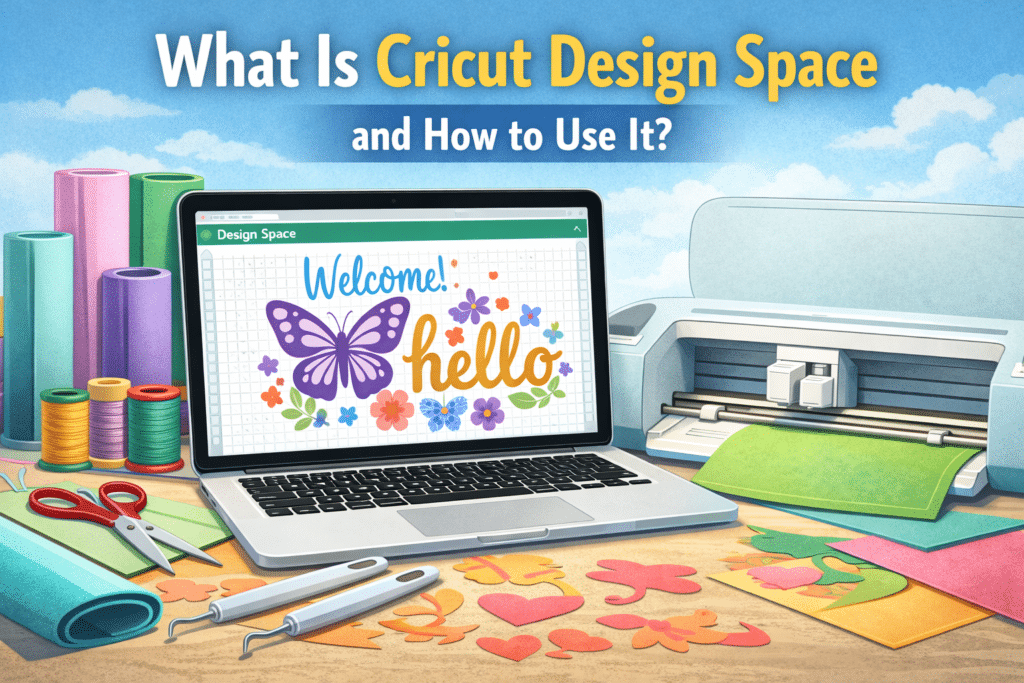
Cricut Design Space is the official design software used to create, customize, and send projects to Cricut cutting machines. Whether you want to make custom vinyl decals, stickers, t-shirts, greeting cards, or personalized gifts, this software allows you to design and prepare your projects before cutting them with a Cricut machine.
For anyone interested in DIY crafts, vinyl cutting, or personalized products, learning how to use Cricut Design Space is essential. In this guide, we will explain what the software does, how it works, and how beginners can start using it effectively.
What Is Cricut Design Space Used For?
Cricut Design Space is the main software used to design and prepare projects for Cricut cutting machines. It allows users to create designs, upload images, customize text, and arrange elements before sending the project to the machine for cutting or drawing.
Cricut Design Space is a cloud-based application that works with popular Cricut machines such as Cricut Maker, Cricut Explore, and Cricut Joy. The platform provides design tools, templates, fonts, and images that help users create professional-looking projects easily. It is designed to be beginner-friendly while still offering powerful features for experienced crafters.
With Cricut Design Space, users can work with many types of materials such as vinyl, paper, cardstock, iron-on (HTV), leather, and fabric. The software converts designs into precise cutting paths that Cricut machines can follow.
People commonly use Cricut Design Space for projects such as:
- Custom vinyl decals and stickers
- Personalized t-shirts and clothing
- Greeting cards and invitations
- Labels and home organization projects
- Scrapbooking and craft projects
- DIY gifts and decorations
Because the software is cloud-based, users can access their projects from different devices including computers, tablets, and smartphones.
How Do You Download and Install Cricut Design Space?
Before you can start designing, you need to install Cricut Design Space on your device. The software is available for Windows, Mac, iOS, and Android, making it accessible for most users.
To install Cricut Design Space, follow these basic steps:
- Visit the official Cricut website.
- Download the Cricut Design Space application.
- Create a Cricut account or sign in to your existing account.
- Install the software and open it on your device.
- Connect your Cricut machine via Bluetooth or USB.
Once installed, you can start creating projects immediately.
What Are the Main Features of Cricut Design Space?
Cricut Design Space includes many tools that help users design creative projects easily. Even beginners can start designing without needing advanced graphic design experience.
Some of the most useful features include:
- Templates: Pre-designed layouts for shirts, mugs, cards, and more
- Fonts: A large library of Cricut fonts for text projects
- Images: Thousands of ready-to-use images and graphics
- Upload Tool: Allows users to upload their own designs or SVG files
- Layers Panel: Helps organize design elements
- Weld, Slice, and Attach Tools: Advanced design editing tools
These features allow users to customize projects in many different ways.
How Do You Create a Project in Cricut Design Space?
Creating a project in Cricut Design Space is simple and beginner-friendly. After opening the software, users can start designing by selecting a template or creating a new project from scratch.
Here is a basic workflow for creating a Cricut project:
- Open Cricut Design Space and select New Project.
- Add text, images, or shapes to the canvas.
- Adjust the size, position, and colors of design elements.
- Organize the layers of the design.
- Click Make It to prepare the design for cutting.
The software will automatically arrange the design on cutting mats and guide users through the cutting process.
How Does Cricut Design Space Work With Cricut Machines?
Cricut Design Space acts as the bridge between your design and the Cricut machine. Once a design is ready, the software converts it into instructions that the machine can follow.
When users click Make It, the software:
- Prepares the design for cutting
- Separates layers by material or color
- Shows how the design should be placed on the cutting mat
- Sends the cutting instructions to the Cricut machine
After that, users simply place the material on the mat, load it into the machine, and start the cutting process.
Is Cricut Design Space Free to Use?
One of the most common questions beginners ask is whether Cricut Design Space is free. The answer is yes — the basic version of Cricut Design Space is free to use.
However, Cricut also offers a subscription called Cricut Access, which provides additional features such as:
- Thousands of premium images
- Exclusive fonts
- Ready-to-make projects
- Special design collections
The free version is still powerful enough for most beginner projects.
What Tips Help Beginners Use Cricut Design Space More Easily?
For beginners, Cricut Design Space may feel overwhelming at first. However, learning a few basic tips can make the experience much easier.
Here are some helpful tips:
- Start with simple projects before trying complex designs.
- Use templates to understand sizing and layout.
- Organize your layers to avoid cutting mistakes.
- Save projects regularly in the cloud.
- Use SVG files for better cutting quality.
With regular practice, users quickly become more comfortable with the software.
Frequently Asked Questions
What is Cricut Design Space?
Cricut Design Space is the official software used to design and prepare projects for Cricut cutting machines.
Is Cricut Design Space free?
Yes, the basic version of Cricut Design Space is free, but premium content is available through Cricut Access.
Can beginners use Cricut Design Space easily?
Yes, the software is designed to be beginner-friendly and includes templates and tutorials.
What devices support Cricut Design Space?
Cricut Design Space works on Windows, Mac, iOS, and Android devices.
Can I upload my own designs to Cricut Design Space?
Yes, users can upload SVG, PNG, and other supported file formats.
Do I need internet access to use Cricut Design Space?
Yes, since it is a cloud-based platform, internet access is usually required.
Which Cricut machines work with Cricut Design Space?
Cricut Maker, Cricut Explore, and Cricut Joy all work with Cricut Design Space.
What can I create with Cricut Design Space?
You can create stickers, vinyl decals, t-shirts, cards, labels, and many other DIY craft projects.
Is Cricut Design Space difficult to learn?
No, most users learn the basics quickly by practicing simple projects.
Can I use Cricut Design Space on a phone or tablet?
Yes, Cricut provides mobile apps for both iOS and Android devices.
 No products in the cart.