
In the world of DIY crafting, personalization is everything. Whether you are a small business owner, a hobbyist, or a creative entrepreneur, having the ability to create custom designs gives you both freedom and competitive advantage. With platforms like Craftpi and tools such as Cricut, designing your own products has never been more accessible.
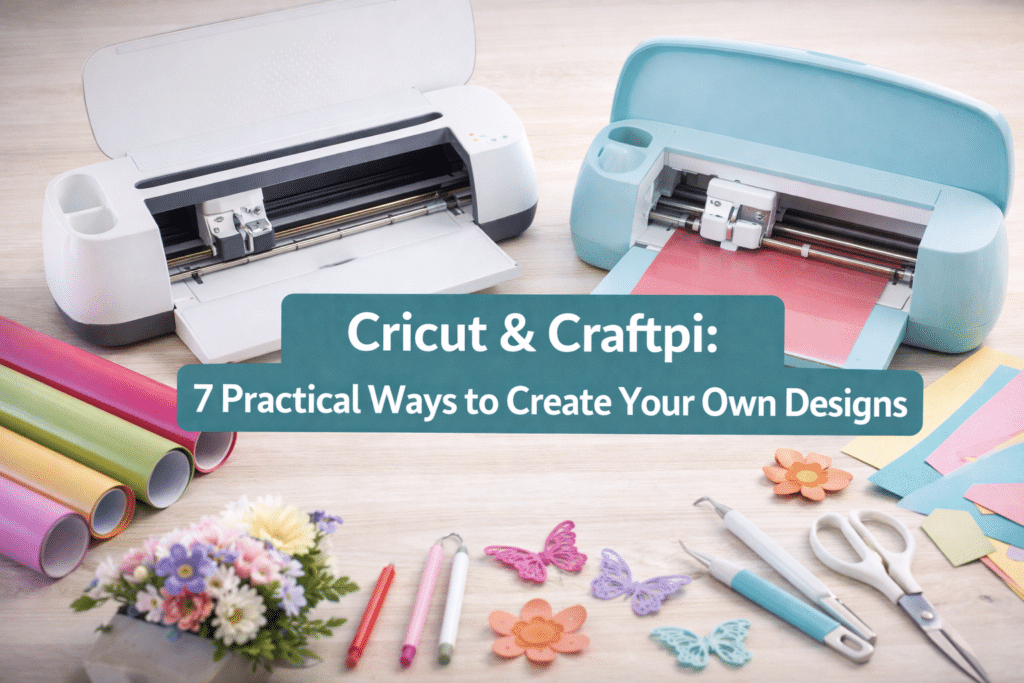
Cricut machines have transformed how people approach crafting — from vinyl decals and custom t-shirts to paper crafts and home décor. When combined with the right design resources and inspiration, especially from platforms like Craftpi, you can elevate your creative process and produce professional-quality results.
In this article, we will explore 7 practical ways to create your own designs using Cricut and Craftpi, while keeping your workflow efficient, creative, and scalable.
1. Start with a Clear Design Concept
Before opening Cricut Design Space or browsing Craftpi resources, take time to define your concept. A clear idea saves time and ensures consistency in your final product.
Ask yourself:
- Who is the target audience?
- What is the purpose of the design?
- Will it be used for apparel, stickers, wall art, or digital downloads?
- What mood or message should it convey?
Cricut projects work best when you understand the final material and machine settings required. Craftpi can serve as inspiration by helping you explore trending ideas, themes, and product categories.
Pro Tip: Create a mood board before designing. This prevents unnecessary revisions later.
2. Master Cricut Design Space Basics
If you want to create professional designs, mastering Cricut Design Space is essential. While Craftpi can provide inspiration and direction, your technical execution happens inside the Cricut ecosystem.
Focus on learning:
- Layering techniques
- Welding and slicing tools
- Font pairing
- İmage tracing
- Proper sizing for different materials
The more comfortable you become with Cricut tools, the more flexible your creativity will be. Small improvements in technical skills often result in significantly better design quality.
3. Use Pre-Made Elements as Creative Building Blocks
Not every design needs to begin from a blank canvas. In fact, many professional creators build visually impressive and highly detailed projects by combining pre-made elements in smart and creative ways. Platforms like Craftpi can spark ideas by showcasing inspiring combinations of typography, shapes, and graphic styles that work well together. When designing with Cricut, you can merge simple geometric shapes to form unique patterns, customize fonts to give them a more original and personal touch, and carefully adjust spacing and alignment to achieve a clean, balanced layout. Experimenting with layered vinyl colors can also add depth and dimension to your projects, making them look more refined and professional. By using design elements strategically instead of reinventing everything from scratch, you save time, reduce complexity, and ensure your Cricut creations maintain a polished, high-quality appearance without feeling overly complicated.
4. Focus on Typography for Strong Visual Impact
Typography can truly make or break a Cricut design. For products like T-shirts, mugs, tote bags, and decals, text-based compositions are often the main focal point, which makes font selection and layout decisions especially important. A well-balanced typography choice — such as pairing a flowing script font with a bold sans-serif — can instantly create contrast and visual interest. However, it is essential to avoid using too many fonts in one design; limiting yourself to two or three typefaces helps maintain clarity and professionalism.
Carefully adjusting letter spacing and alignment ensures that your layout looks intentional rather than crowded or uneven. Readability should always be tested at the final print size, as some fonts that look attractive on screen may become difficult to read once cut or pressed. Maintaining strong contrast between elements improves visibility, while leaving enough breathing space prevents the design from feeling overwhelming. Before moving into full production, performing a small test cut can save both time and material. Although Cricut machines are highly precise, extremely thin lines or delicate fonts may tear during the weeding process. Designing with the cutting mechanics in mind is essential for achieving clean, durable, and professional-looking results.
5. Optimize Designs for Different Cricut Materials
Cricut offers a wide range of materials — adhesive vinyl, iron-on vinyl (HTV), cardstock, smart materials, infusible ink sheets, and more. Your design approach should match the material.
Material-Based Design Tips
- For Vinyl Decals: Use bold lines and minimal detail.
- For HTV Apparel: Mirror designs correctly and avoid ultra-thin elements.
- For Paper Crafts: Add dimension with layered cuts.
- For Infusible Ink: Use solid, well-defined shapes.
Craftpi-inspired design ideas can help you choose the right format for your product category. Always test small samples before full production to avoid wasting materials.
6. Create Repeatable Design Templates
If you plan to sell your Cricut creations or scale your hobby into a business, templates are your best friend.
Templates allow you to:
- Save time on recurring projects.
- Maintain brand consistency.
- Offer personalization options easily.
- Speed up production workflows.
For example:
- A customizable birthday T-shirt layout.
- A monogram frame template.
- A seasonal quote design base.
With Cricut, you can duplicate projects in Design Space and simply swap names, dates, or colors. Craftpi’s creative inspiration can help you identify which product types are most in demand.
7. Test, Refine, and Improve Your Workflow
Professional-quality results rarely happen on the first attempt. What truly separates beginner Cricut users from experienced creators is the willingness to refine and improve each project. After completing a design, take time to carefully evaluate the cutting precision and examine whether the machine executed every detail cleanly. Pay close attention to the weeding process as well; if removing excess vinyl feels unnecessarily difficult, your design may include lines that are too thin or elements that are too intricate.
It is also important to assess the durability and overall finish of the final product. Whether it is a T-shirt, decal, or mug, consider how the design holds up after handling, washing, or regular use. Seeking feedback from customers, friends, or fellow Cricut users can provide valuable insights that you might overlook on your own. Often, small refinements in spacing, line thickness, alignment, or material settings can dramatically elevate the overall quality of your work. By continuously testing, adjusting, and improving your workflow, you ensure that each new project looks more polished, professional, and consistent than the last.
Frequently Asked Questions (FAQ)
Is Cricut beginner-friendly for custom design creation?
Yes. Cricut machines are designed for beginners and professionals alike. With practice in Cricut Design Space and proper planning, anyone can create custom designs. Craftpi can help inspire project ideas while you develop your skills.
Do I need graphic design experience to create my own designs?
No formal graphic design background is required. However, learning basic principles like alignment, contrast, and spacing will significantly improve your results. Cricut tools are intuitive, and many features are easy to learn through experimentation.
What is the best Cricut machine for custom projects?
It depends on your needs. Cricut Maker models offer more material flexibility, while Cricut Explore models are excellent for vinyl and iron-on projects. If you plan to work with diverse materials, investing in a more advanced Cricut machine may be beneficial.
How can I make my Cricut designs look professional?
Focus on clean layouts, proper sizing, font pairing, and material compatibility. Always perform test cuts and refine your designs. Consistency and attention to detail are essential.
Can I sell products I create with Cricut?
Yes. Many small businesses are built around Cricut products such as custom apparel, decals, and gifts. However, ensure you have the correct commercial rights for fonts and graphics used in your designs.
How does Craftpi help with Cricut projects?
Craftpi can provide inspiration, trends, and creative direction. When paired with Cricut Design Space, it becomes a powerful combination for producing unique and high-quality custom designs.

 No products in the cart.